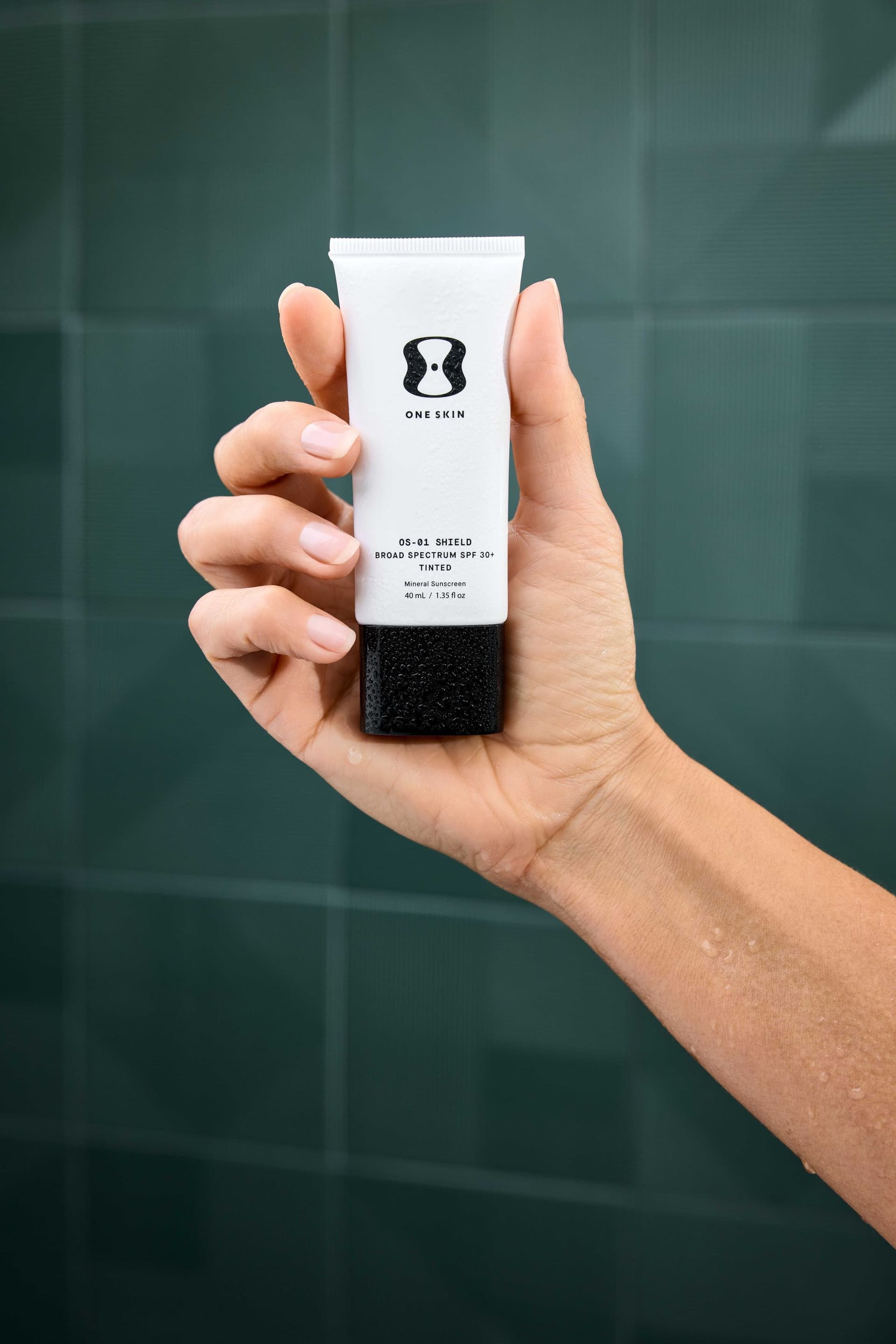
Quick Answer: Amazon requires main images on a pure white background (RGB 255,255,255), minimum 1600px on the longest side for zoom functionality, product filling 85%+ of the frame, sRGB color profile, JPEG/TIFF/PNG/GIF format, and zero text, watermarks, or graphics. Non-compliant images trigger listing suppression: meaning zero visibility and zero sales until you fix them.
Your Amazon listing lives or dies on its images. According to Salsify's consumer research, 70% of online shoppers need to see three or more product photos before purchasing. Baymard Institute found that 56% of shoppers navigate to product images before reading anything else on the page. And Amazon's own data shows that listings using all available image slots see measurably higher conversion rates than those with fewer images.
None of that matters if your images get rejected.
Amazon's image requirements are specific, strictly enforced, and updated without much fanfare. This guide covers every specification you need to know in 2026: main images, secondary slots, A+ Content modules, and Brand Story: plus the exact checklist our team at 51st & Eighth uses when delivering Amazon-ready photography for clients.
If you also sell on Shopify, we have a companion guide: Shopify Product Photography Guide.
Amazon's Technical Image Requirements
Before getting into strategy, here are the hard technical specs Amazon enforces. Get any of these wrong and your listing gets suppressed.
Resolution and File Specs
- Minimum resolution: 1,000px on the longest side (required for listing to go live)
- Recommended resolution: 1,600px or higher on the longest side (required to enable the zoom feature: and you want zoom enabled)
- Maximum resolution: 10,000px on the longest side
- Accepted formats: JPEG (.jpg), TIFF (.tif), PNG (.png), GIF (.gif, non-animated)
- Color profile: sRGB (not Adobe RGB, not CMYK)
- File naming: Must match the product's ASIN, UPC, EAN, or ISBN followed by a period and the file extension (e.g., B08N5WRWNW.jpg)
- No maximum file size stated, but keep files under 10MB for reliable uploads
Main Image Background
The main image: the one that shows in search results: must have a pure white background at RGB 255, 255, 255. Not off-white. Not light gray. Not "close enough." Amazon's automated system checks pixel values, and even a background at RGB 250, 250, 250 can trigger rejection.
Product Fill
The product must occupy at least 85% of the image frame. Amazon wants customers to see the product clearly in search thumbnails. Small products photographed with too much white space around them get flagged.
What's Banned on the Main Image
- Text of any kind (including brand names not physically on the product)
- Logos, watermarks, or copyright notices
- Badges ("Best Seller," "Amazon's Choice," "New")
- Borders, color blocks, or graphic overlays
- Props, accessories, or items not included in the purchase
- Human models (in most categories: apparel is the exception)
- Multiple color variants in a single image
Main Image vs. Secondary Image Rules
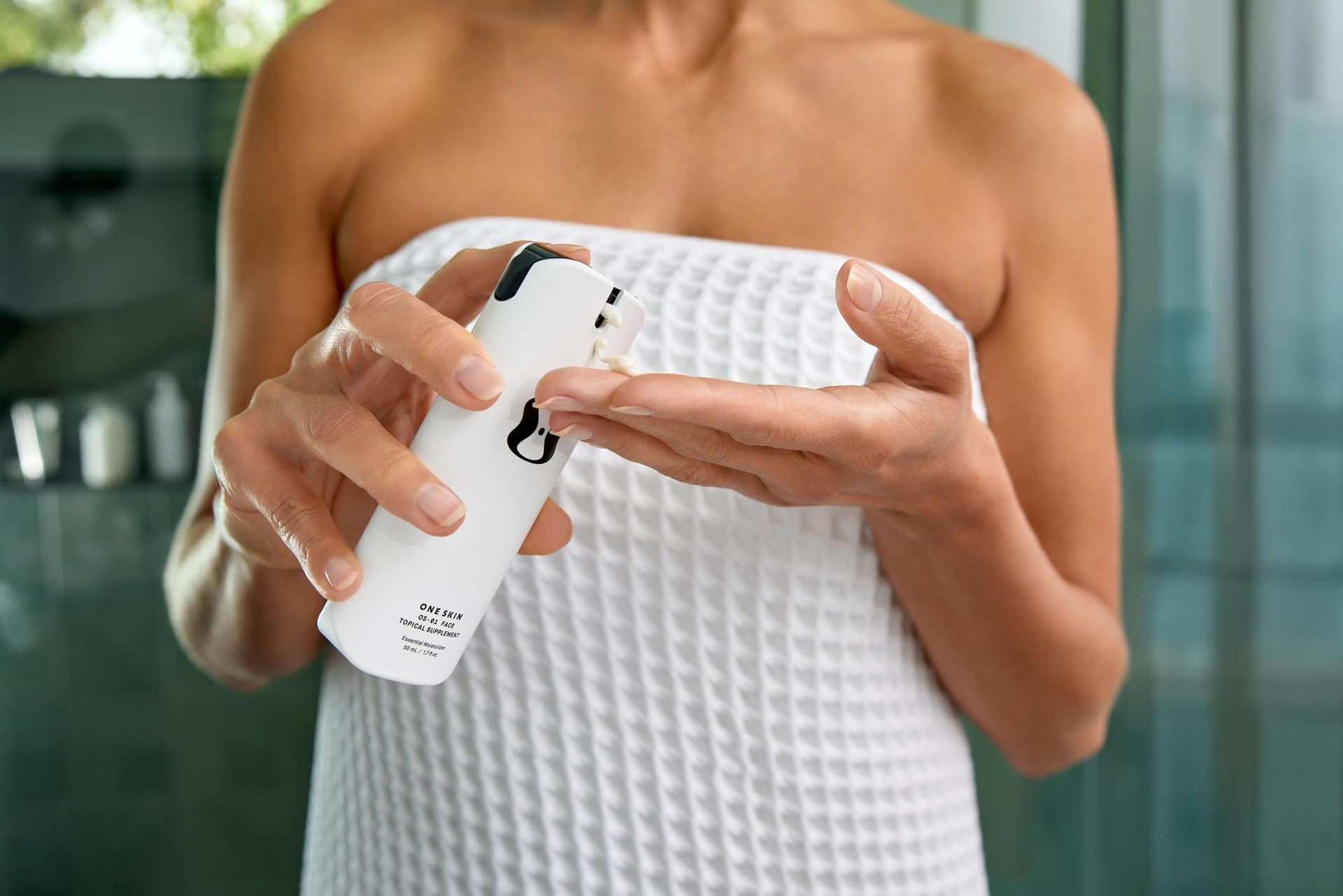
This is where many sellers get confused. The rules are very different for your main image versus your secondary images.
Main Image (Slot 1)
Your main image is locked down tight:
- Product only, on pure white
- No lifestyle context, no props, no text
- Product must be the actual product (no illustrations or renderings)
- For apparel: product must be shown on a human model or flat-lay (mannequins vary by sub-category)
- No packaging unless the product is sold sealed (like a board game or collectible)
Secondary Images (Slots 2-7+)
Secondary images have far more flexibility:
- Any background: lifestyle settings, colored backgrounds, gradients
- Text and graphics allowed: infographics, feature callouts, dimension overlays
- Props and context allowed: show the product in use, with complementary items
- Comparison charts: side-by-side with competing approaches (not named competitors)
- Size reference images: product next to common objects for scale
- Close-up detail shots: texture, materials, craftsmanship
- Models and lifestyle scenes: people using the product in real settings
The secondary images are where you actually sell. The main image gets the click; the secondary images close the deal.
How to Use All 7 Image Slots Strategically
Amazon gives you up to 7 image slots on most listings (some categories allow up to 9). Sellers who fill all slots consistently outperform those who don't. Here's the strategy we recommend:
Slot 1: Hero Shot (Main Image)
Product on pure white, filling 85%+ of frame. This is non-negotiable. Make it clean, sharp, and well-lit. Shoot at the angle that best represents the product: typically a 3/4 view that shows depth and dimension.
Slot 2: Lifestyle Image
Show the product in its natural environment. A kitchen gadget on a countertop. A backpack on a hiker. A skincare bottle on a bathroom shelf. This helps customers visualize ownership.
Slot 3: Infographic: Key Features
Create a clean graphic highlighting 3-5 key features with callout arrows or icons. Keep text large enough to read on mobile. Focus on the features that differentiate you from competitors.
Slot 4: Scale and Dimensions
Show the product next to a common reference object, or include exact measurements overlaid on the image. This is one of the most underused slots: and one of the biggest drivers of reduced returns.
Slot 5: Ingredients, Materials, or Components
For supplements: ingredient list or key ingredient highlights. For apparel: fabric closeup. For electronics: what's in the box. For food: nutritional information. This builds trust and answers questions before they're asked.
Slot 6: Social Proof or Use Cases
Show real customer scenarios, highlight awards or certifications, or demonstrate multiple use cases. If you have UGC (user-generated content) that's high quality enough, this is a great slot for it.
Slot 7: Brand Story
Use the final slot to reinforce your brand. Show your origin story, your team, your values, or your manufacturing process. In a sea of generic Amazon listings, a brand that feels human stands out.
Not every product needs this exact sequence. Adjust based on your category and what questions your customers typically ask. But the principle holds: fill every slot, and give each one a specific job.
Selling hundreds of SKUs and need Amazon-compliant images at scale? See how our AI-powered studio handles high-volume product photography: we can process entire catalogs while maintaining compliance across every image.
Common Amazon Image Rejection Reasons

Amazon's automated review system flags images for specific violations. Here are the ones we see most often:
Background Not Pure White
The number-one rejection reason. Even backgrounds that look white to the human eye often fail Amazon's pixel-level check. Fix: select the background in Photoshop using Color Range, then fill with pure white (255, 255, 255). Check by using the eyedropper tool on multiple background areas.
Text or Graphics on Main Image
Any text overlay, badge, or promotional graphic on the main image triggers immediate rejection. This includes "sale" stickers, feature callouts, and even subtle watermarks. Fix: strip everything except the product itself.
Product Too Small in Frame
If the product doesn't fill 85% of the frame, it gets flagged. This is common with small items like jewelry or USB accessories where photographers leave too much white space. Fix: crop tighter. Use Canvas Size in Photoshop to reduce margins without reshooting.
Resolution Below Minimum
Images under 1,000px on the longest side won't upload at all. Images between 1,000-1,599px will upload but won't enable zoom: which kills conversion. Fix: always shoot and export at 2,000px+ on the longest side.
Wrong Color Profile
CMYK images (common when files come from print designers) get rejected or display with distorted colors. Fix: convert to sRGB in your editing software before export.
Borders or Frames
Some sellers add thin borders or drop shadows to their main images. Amazon rejects these. Fix: remove all borders, frames, and artificial shadows.
Multiple Products When Selling a Single Unit
If you're selling one item but your main image shows multiple color variants or a lifestyle grouping, it gets flagged. Fix: show only the exact item the customer receives for that specific listing.
A+ Content and Enhanced Brand Content
If you're Brand Registered (and you should be), A+ Content lets you add rich media modules below the standard product description. The image requirements differ from standard listing images.
A+ Content Image Specs
- Format: JPEG or PNG
- Color mode: RGB (sRGB preferred)
- Max file size: 5MB per image
- Minimum resolution: Varies by module, but 300px on shortest side is the floor
Common Module Dimensions
- Standard Image & Text: 970 x 300px
- Comparison Chart headers: 150 x 300px per product
- Standard Four Image & Text: 220 x 220px per image
- Full-width Image: 970 x 600px
- Image & Light Text Overlay: 970 x 300px
Design Considerations
- Design at exact module dimensions: Amazon's cropping is unpredictable with wrong aspect ratios
- Text on images should be large enough to read on mobile (14px minimum equivalent)
- Maintain consistent brand styling across all modules
- Tell a sequential story: problem, solution, differentiation, trust signals
- Include lifestyle photography, not just product shots
A+ Content can increase conversion rates by 3-10% according to Amazon's own case studies. For competitive categories, it's not optional: it's table stakes.
AI-Assisted Amazon Product Photography
Here's where things have changed dramatically in the last two years. AI compositing tools now make it possible to produce Amazon-compliant images faster and cheaper than traditional methods alone: especially for sellers managing large catalogs.
At 51st & Eighth, we use a hybrid workflow that combines professional base photography with AI-powered post-production:
How It Works
1. Professional product capture: we shoot each product once on a controlled white background with calibrated lighting 2. AI background perfection: automated processing ensures every background hits exactly RGB 255, 255, 255 with zero manual touchup needed 3. AI lifestyle compositing: we generate realistic lifestyle scenes from the base product shot, placing products in contextual environments without separate location shoots 4. Infographic generation: AI-assisted design tools produce feature callouts, dimension graphics, and comparison layouts at scale
Why This Matters for High-Volume Sellers
If you're managing 50, 500, or 5,000 SKUs, traditional product photography becomes a logistics nightmare. Our AI-powered pipeline can process entire catalogs while maintaining Amazon compliance on every image. Same quality, fraction of the timeline.
The base photography is still real: no AI-generated product shots. The product itself is always captured by a professional photographer with proper lighting and color accuracy. AI handles the repetitive production work: background cleanup, scene generation, format optimization, and compliance verification.
Need Amazon-ready images for a large catalog? Book a consultation and we'll scope out a package that fits your SKU count and timeline.
DIY Lighting Setup for Amazon
Not every seller is ready to hire a studio. If you're bootstrapping and need to shoot your own Amazon images, here's an honest guide to getting passable results.
The Lightbox Approach (Best for Small Products)
A collapsible photo lightbox ($30-80 on Amazon, ironically) gives you:
- Built-in white background
- Diffused, even lighting from multiple sides
- Consistent results across multiple products
- Portability and easy storage
Best for: jewelry, electronics, small home goods, beauty products. Not great for: anything larger than a shoebox.
The White Sweep Setup
For larger products, set up a white sweep:
- Background: Roll of white seamless paper ($15-25) or a large white foam board
- Lighting: Two softbox lights ($60-100 for a pair) positioned at 45-degree angles
- Camera: Any modern smartphone works: just make sure you clean the lens
- Tripod: A phone tripod ($15-20) eliminates camera shake
Position lights on either side of the product at roughly 45 degrees. This minimizes harsh shadows while maintaining enough contrast to show product details. If you see a hard shadow on one side, move that light closer or add a white reflector (a piece of white foam board works) on the shadow side.
Natural Light Option
If you don't want to invest in lighting equipment:
- Shoot near a large window on an overcast day (diffused natural light is remarkably good)
- Place a white foam board opposite the window to bounce light and fill shadows
- Avoid direct sunlight: it creates harsh shadows and hot spots
- Shoot during consistent light (midday is most stable)
Post-Production Essentials
Even with perfect lighting, you'll need to:
- Remove the background and replace with pure white (use remove.bg or Photoshop)
- Crop to ensure 85%+ product fill
- Color correct to ensure accurate product colors in sRGB
- Export at 2,000px+ on the longest side
- Verify the background reads as RGB 255, 255, 255
Fair warning: DIY photography will get you live on Amazon, but it rarely competes with professional images in conversion rate. Sellers who upgrade from DIY to professional photography typically see 20-40% conversion rate improvements. Start with DIY if budget demands it, but plan to upgrade as revenue allows.
The Amazon Image Compliance Checklist
Bookmark this. Screenshot it. Tape it to your monitor. Run through it before every upload.
Main Image Checklist
- [ ] Pure white background (RGB 255, 255, 255)
- [ ] Product fills 85%+ of image frame
- [ ] Minimum 1,600px on longest side (for zoom)
- [ ] sRGB color profile
- [ ] JPEG, TIFF, PNG, or GIF format
- [ ] No text, logos, watermarks, or badges
- [ ] No borders, frames, or drop shadows
- [ ] No props or accessories not included in purchase
- [ ] Entire product visible (nothing cropped off)
- [ ] Product is in sharp focus
- [ ] Professional, even lighting with no harsh shadows
- [ ] File named with product identifier (ASIN.jpg)
Secondary Image Checklist (Slots 2-7)
- [ ] All slots filled (more images = higher conversion)
- [ ] At least one lifestyle/in-use image
- [ ] At least one infographic with key features
- [ ] At least one scale/dimension reference
- [ ] Detail shots of materials, texture, or craftsmanship
- [ ] Minimum 1,000px on longest side (1,600px+ preferred)
- [ ] sRGB color profile on all images
- [ ] Text is legible on mobile screens
A+ Content Checklist
- [ ] Images match exact module dimensions
- [ ] File size under 5MB per image
- [ ] RGB color mode
- [ ] Consistent brand styling across all modules
- [ ] Text large enough for mobile readability
- [ ] Sequential narrative (problem > solution > trust)
Brand Story Checklist
- [ ] Card images at 400 x 400px
- [ ] Background image at 1,920 x 600px
- [ ] Logo at 400 x 400px (transparent PNG)
- [ ] All files under 5MB
- [ ] Authentic brand imagery (not stock)
Get Your Amazon Images Right the First Time
Amazon's image requirements exist to maintain marketplace quality: and they're not getting more lenient. Every rejected image means delayed listings, lost sales, and wasted time re-shooting or re-editing.
Whether you're launching your first product or managing a catalog of thousands, the photography standards are the same. Get them right, and your images become your most powerful sales tool. Get them wrong, and your listing sits suppressed while competitors take your sales.
At 51st & Eighth, we produce Amazon-compliant product photography for sellers who don't want to guess. Our Austin studio handles everything from single-product shoots to full catalog production, with AI-powered workflows that maintain compliance at scale. Every image we deliver passes Amazon's review on the first upload.
Ready to stop fighting image rejections? Get in touch and tell us about your catalog. We'll put together an Amazon-ready photography package that fits your product count, timeline, and budget.
Ready to elevate your Amazon product photography?
Get a free quote from Austin's leading product photography studio.
Get a Free Quote →