Quick Answer: AI-enhanced social content production cuts costs 60–80% (from $14,000–27,000/month to $2,500–5,500/month for 80 pieces) while delivering 3–5x the output per shoot session. Best results come from a 60/30/10 mix: AI-enhanced product content, real photography/video, and user-generated content.
Your social media manager just told you they need 60 pieces of content for next month. Fifteen Instagram posts, ten Stories, eight Reels, a dozen LinkedIn graphics, and a handful of TikToks. Oh, and they need them by Friday.
Sound familiar?
The content treadmill is real, and it's exhausting. Brands are expected to show up on every platform, every day, with fresh visuals that stop the scroll. The math doesn't work when you're relying entirely on traditional photoshoots that cost thousands of dollars and take weeks to plan.
That's where AI-powered content creation enters the picture. Not as a replacement for real photography and video, but as a force multiplier that lets you get more mileage from every shoot, generate variations at scale, and test creative concepts without burning through your entire quarterly budget.
This guide breaks down how AI is actually being used for social media content production in 2026, what works, what doesn't, and how to build a workflow that keeps your feeds full without sacrificing quality.
A 2024 Sprout Social report found that brands posting 4–7 times per week on Instagram see 3x more engagement growth than those posting 1–3 times. HubSpot's State of Marketing report found visual content receives 94% more views than text-only content: yet 60% of marketers say producing enough visual content consistently is their top content challenge.
The Social Media Content Problem (By the Numbers)
Let's start with the math that keeps marketing directors up at night.
The average brand posting consistently across Instagram, TikTok, LinkedIn, and Facebook needs 80-120 pieces of visual content per month. That includes feed posts, stories, video clips, carousels, and ads.
A traditional product or brand photoshoot delivers 20-40 final images from a full-day session. At $3,500-$12,000 per shoot day (photographer, studio, styling, post-production), you're looking at $10,000-$36,000 per month just to keep your content pipeline full.
Most brands can't afford that. So they do what everyone does: they recycle content, use stock photos, or let their social channels go stale. None of these options build the kind of brand presence that drives actual business results.
AI changes this equation fundamentally. Not by replacing photoshoots, but by multiplying their output.
How AI Multiplies Your Content Output
Here's the workflow we use at our Austin studio to help brands generate 3-5x more social content from every shoot session.
Step 1: Shoot Once, Generate Many
The foundation is still real photography. We shoot your products, your team, your space, or your brand elements in a controlled studio session. This gives us high-quality source material that AI can work with.
The difference is what happens after the shoot.
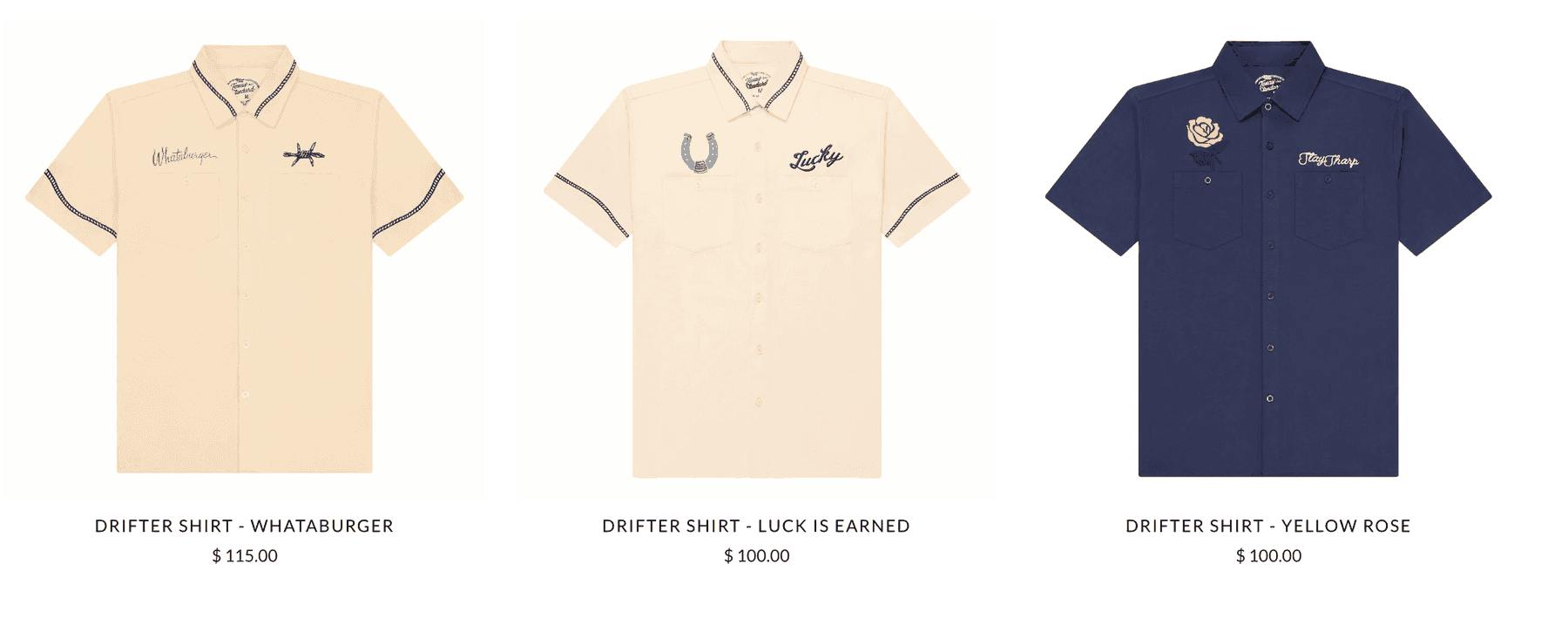
Instead of delivering 30 retouched images and calling it done, we use AI to generate dozens of variations from each base image. Different backgrounds. Different color treatments. Different environmental contexts. Seasonal themes. Platform-specific crops and formats.
One product shot on a neutral background becomes: - A lifestyle image on a marble kitchen counter - A flat-lay composition with complementary props - A seasonal version with autumn leaves or summer light - An Instagram Story format with text overlay space - A LinkedIn-optimized graphic with professional context - A TikTok thumbnail that pops on mobile
From a single base image, AI can generate 8-15 usable variations in different styles and formats. Multiply that across a shoot session of 30 products, and you're looking at 240-450 pieces of content from one day in the studio.
Step 2: Maintain Brand Consistency at Scale
This is where most DIY AI content falls apart. You can use Midjourney or DALL-E to generate pretty images, but maintaining consistent brand identity across hundreds of pieces is nearly impossible without a structured workflow.
We solve this with custom-trained AI models (LoRAs) that learn your brand's visual language. The model understands your product shapes, your color palette, your lighting preferences, and your overall aesthetic. When it generates variations, they feel like they belong to the same brand world.
This matters more than most brands realize. Inconsistent visual identity across social channels erodes trust and dilutes brand recognition. Your audience might not consciously notice, but their brain does.
Step 3: Format for Every Platform
Different platforms have different requirements, and not just in terms of aspect ratio.
Instagram Feed: Square or 4:5, high visual impact, minimal text, lifestyle context sells Instagram Stories/Reels: 9:16 vertical, movement and energy, text overlay space at top and bottom TikTok: 9:16, authentic feel, less polished is often better, bold colors LinkedIn: 1:1 or 1.91:1, professional context, clean backgrounds, business-appropriate Facebook: Flexible formats, but engagement favors emotional and authentic imagery Pinterest: 2:3 vertical, lifestyle-heavy, text overlay for searchability
Traditionally, reformatting content for each platform meant hours of manual work in Photoshop. With AI, we can generate platform-native variations from a single source image, each optimized for the visual language of its destination platform.
Step 4: A/B Test Creative Concepts
Here's something that wasn't possible at scale before AI: rapid creative testing.
Instead of committing $10,000 to a campaign concept and hoping it works, you can use AI to generate three or four different creative directions, test them with small ad budgets ($50-$100 each), and then invest in the winner.
We've seen clients save 30-50% on their ad creative budgets by testing AI-generated concepts before committing to full production. The winning concept then gets a proper shoot if needed, or the AI version performs well enough to scale directly.
What AI Social Content Actually Looks Like
Let's get specific about what AI can and can't do for social media content in 2026.
What Works Well
Product-in-environment shots. Take a real product photo and place it in a generated lifestyle scene. This is the bread and butter of AI social content, and it's reached a quality level that's essentially indistinguishable from traditional photography for most social media use cases.
Seasonal and thematic variations. Your summer product photos looking tired in December? Generate winter-themed backgrounds with cozy lighting, holiday props, and seasonal color palettes. No reshoot required.
Background swaps and scene changes. Same product, different vibe. Modern minimalist for LinkedIn, warm and organic for Instagram, bold and colorful for TikTok. AI handles this in minutes rather than days.
Color and mood treatments. Create a cohesive visual series by applying consistent color grading across disparate source images. AI can harmonize lighting, color temperature, and mood across your entire content library.
Text overlay templates. Generate backgrounds and compositions specifically designed to accommodate text overlays for Stories, Reels covers, or educational carousels.
What Doesn't Work (Yet)
People and faces. AI-generated people still fall into uncanny valley territory for most social media applications. If your content needs models or real human interaction, you need real photography. AI can place products in scenes, but generating realistic people holding or wearing products remains unreliable.
Complex product interactions. A bottle being poured, food being prepared, clothing being worn, these scenarios need real photography. AI handles static product placement well, but dynamic interactions still look artificial.
Brand-new product launches. If you're launching a product nobody has seen before, you need real hero images to establish what it looks like. AI works best when it has real source material to reference.
Authenticity-dependent content. Behind-the-scenes content, team photos, user-generated content reposts, and anything where the audience expects real, unmanipulated imagery. Don't try to fake authenticity with AI. Audiences can tell, and the backlash isn't worth it.
Building Your AI Content Workflow
If you're ready to integrate AI into your social media content production, here's a practical framework.
The 60/30/10 Content Mix
We recommend most brands aim for this breakdown:
60% AI-enhanced content. Product photos with generated backgrounds, seasonal variations, platform-specific reformats, and creative tests. This is your volume play, the content that keeps your channels active and your brand visible.
30% real photography and video. Hero images, campaign launches, behind-the-scenes content, team photos, and anything requiring authentic human interaction. This is your quality anchor, the content that establishes trust and credibility.
10% user-generated and community content. Reposts, testimonials, customer photos, and engagement-driven content. No AI needed here, just good community management.
This mix lets you maintain high posting frequency without burning out your budget or your team.
Monthly Content Production Cycle
Here's what a typical month looks like for brands using our AI-enhanced content workflow:
Week 1: Planning and source material. Review content calendar, identify gaps, shoot any new source material needed (1-2 hours in studio).
Week 2: AI generation and review. Generate variations, platform-specific formats, and creative tests. Client reviews batch and provides feedback.
Week 3: Refinement and scheduling. Final adjustments, copy pairing, scheduling across platforms.
Week 4: Performance review and planning. Analyze what performed, identify winners for expansion, plan next month's source material needs.
Total studio time: 2-4 hours per month. Total AI generation: 2-3 days. Total deliverables: 60-120 pieces of platform-ready content.
Cost Comparison
Traditional social content production for 80 pieces per month: - 2 shoot days: $7,000-$24,000 - Post-production: $3,000-$5,000 - Platform formatting: $1,000-$2,000 - Total: $11,000-$31,000/month
AI-enhanced social content production for 80 pieces per month: - 1 full-day shoot (quarterly): $3,500-$5,500 amortized monthly - AI generation and refinement: $1,500-$3,000 - Platform formatting (automated): Included - Total: $5,000-$8,500/month
That's a 60-80% cost reduction while maintaining or increasing content volume and quality.
Platform-Specific AI Strategies
Instagram rewards consistency and aesthetic cohesion. This is where AI excels because it can generate visually consistent content at scale.
Feed strategy: Use AI to create a cohesive grid aesthetic. Generate backgrounds and environments that share a color palette and visual language, then composite your products into each scene. The result is a feed that looks intentionally curated without requiring dozens of individually styled photoshoots.
Stories strategy: Generate Story-format backgrounds with space for text overlays, polls, and interactive elements. AI can create a library of on-brand Story templates that your social team can use with a simple text swap.
Reels strategy: AI handles static content well, but Reels need movement. Use AI-generated imagery as Reels covers, intro frames, and end cards. The actual video content should be real footage.
TikTok
TikTok's algorithm rewards authenticity over polish. Ironically, this means AI-generated content can actually backfire if it looks too perfect.
What works: Use AI for product showcase thumbnails, before-and-after comparisons, and educational content backgrounds. Keep the AI subtle.
What doesn't work: Trying to pass off AI-generated lifestyle scenes as "real" on TikTok. The audience is savvy and will call it out.
LinkedIn is where AI social content shines for B2B brands. Professional, clean imagery performs well, and the audience is less concerned about "authenticity" in the TikTok sense.
Thought leadership posts: Generate clean, professional backgrounds for quote graphics and data visualizations. Product announcements: AI-composited product images in professional settings work perfectly for LinkedIn. Company culture posts: Still need real photos. Don't fake team photos or office culture with AI.
Pinterest is essentially a visual search engine, and AI-generated content performs well here because the platform values high-quality, aspirational imagery over authenticity.
Product pins: Generate lifestyle environments that match popular Pinterest search terms (e.g., "modern kitchen organization," "minimalist desk setup"). Idea pins: Create sequential visual tutorials using AI-generated backgrounds and real product photos.
Common Mistakes to Avoid
Mistake 1: Using AI as a Substitute for Real Photography
AI enhances and extends real photography. It doesn't replace it. If you've never shot your product professionally, AI has nothing good to work with. Garbage in, garbage out.
Start with one solid shoot session. Get clean, well-lit source material. Then let AI multiply your investment.
Mistake 2: Not Disclosing AI Usage When Required
Regulations around AI-generated content are evolving. Some platforms require disclosure of AI-generated imagery in ads. Some industries (beauty, health, food) have specific rules about image manipulation.
Stay informed and err on the side of transparency. "Styled with AI" or "AI-enhanced photography" is honest and increasingly normal.
Mistake 3: Ignoring Quality Control
AI generates fast, but it doesn't have taste. Every piece of AI-generated content needs human review before publishing. Look for: - Product accuracy (colors, logos, proportions) - Environmental logic (lighting direction, shadows, reflections) - Brand consistency (does this feel like your brand?) - Platform appropriateness (does this belong on this channel?)
Budget 15-20 minutes per batch for quality control. It saves hours of damage control later.
Mistake 4: Generating Content Without a Strategy
More content isn't always better content. AI makes it easy to flood your channels with variations, but volume without strategy is just noise.
Start with your content calendar. Identify what you need. Then use AI to fill those specific gaps efficiently. Don't generate 200 images just because you can.
Mistake 5: Neglecting the Human Element
Social media is fundamentally about human connection. AI can generate beautiful product imagery all day long, but your audience still wants to see real people, real stories, and real moments.
Use the time and budget AI saves you to invest in the human content that builds genuine relationships with your audience.
The Austin Advantage for AI Content Production
Austin's creative scene brings a unique advantage to AI-powered content production. The city's intersection of tech and creative talent means you can work with studios that understand both the artistic and technical sides of AI content.
At 51st & Eighth, we've built our AI content workflow specifically for brands that need to maintain high-volume social presence without traditional production budgets. Our Austin studio handles the photography, AI generation, platform formatting, and quality control, delivering ready-to-post content batches on a monthly or quarterly basis.
The result: brands spending less time and money on content production, and more time on the strategy and community engagement that actually drives growth.
Getting Started
If your social content production feels unsustainable, whether that's budget, timeline, or team bandwidth, AI-enhanced production is worth exploring.
Here's what we recommend:
Step 1: Audit your current content output. How many pieces per month? What's working? What's falling flat?
Step 2: Identify your highest-volume content needs. This is where AI will have the biggest impact.
Step 3: Book a full-day shoot to build your source material library. Clean product photos, brand elements, team headshots.
Step 4: Let us generate a month's worth of content from that source material. Compare the quality, speed, and cost to your current workflow.
Most brands see the difference immediately. Not because AI content is "better" than traditional photography, but because it makes consistent, high-quality content production actually sustainable.
Want to see what AI-enhanced social content looks like for your brand? Contact us for a free content audit and sample batch. We'll show you exactly how many pieces we can generate from your existing assets.
Frequently Asked Questions
Can AI generate social media content without any real photography? Technically yes, but the results are rarely brand-quality. Fully AI-generated product images suffer from color inaccuracy, distorted labels, and inconsistent proportions. The approach that works: shoot products once professionally, then use AI to generate the environments, seasonal variations, and platform-specific crops around those real product images.
How do I maintain brand consistency when using AI for social content? The key is training a custom AI model (or using style-consistent prompts) on your brand's established visual language. This means your first priority should be building a solid foundation of professionally shot, correctly color-graded images that define your aesthetic. AI then learns from those references and generates variations that stay within your visual system.
Do I need to disclose AI-generated content on social media? Disclosure requirements vary by platform and use case. For paid advertising, most platforms require disclosure of AI-generated creative: check current requirements for Meta, TikTok Ads, and Google. For organic posts, there's no universal requirement, but transparency is increasingly expected. "AI-enhanced photography" or "AI-styled imagery" is an honest label that rarely hurts engagement.
How quickly can AI content be produced compared to traditional shoots? An AI-enhanced content batch (40–80 pieces) typically takes 3–5 business days after source photography is established. A traditional shoot producing the same volume takes 4–6 weeks including pre-production, the shoot day, and post-production. For brands on tight campaign timelines, AI's speed advantage is often the deciding factor.
Ready to elevate your AI content photography?
Get a free quote from Austin's leading AI product photography studio.
Get a Free Quote →